Design Systems
Cross-Platform Design
Figma MCP x Claude Code
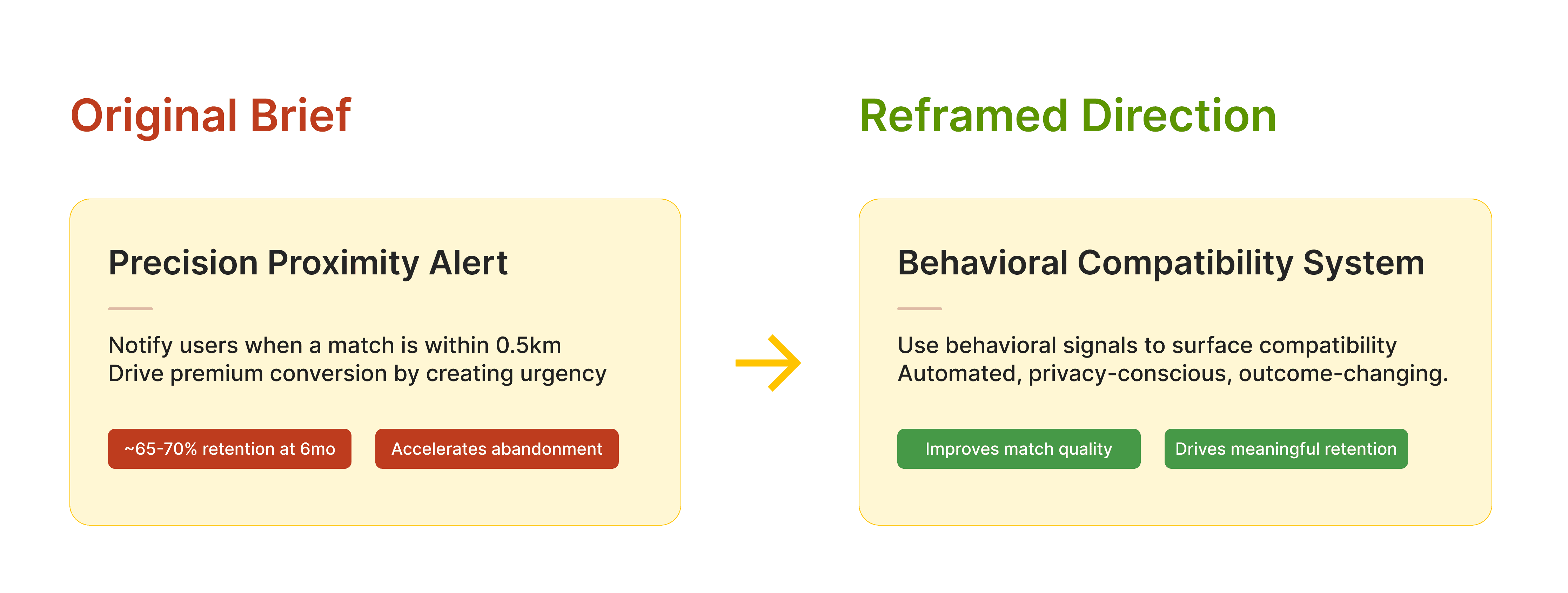
Proximity created urgency; data showed it accelerated churn.
The original ask was straightforward: notify users when a match is within 0.5km. But a feature request is an answer to a question nobody wrote down, so before building it, I checked whether the question ("how do we make people meet faster?") was the right one.
From the data, I saw that proximity features saw a steep drop-off in retention over time. Speed-to-match didn’t solve the core issue; it just surfaced low-quality matches faster.
So I reframed the problem:
How might Bumble use behavioral signals to surface compatibility in a way that feels automated, private, and outcome-changing?
Compatibility works when differences fit, not when people match exactly.
Most systems optimize for similarity in habits and preferences. In reality, relationships succeed on tolerance. Differences only break down when expectations are misaligned.
These differences inspired me to shift the system from matching identity to measuring compatibility across differences, shaping the questionnaire, scoring logic, and the way results are communicated in the app. The LMS doesn’t say “you’re the same.” It shows how well your differences work together.
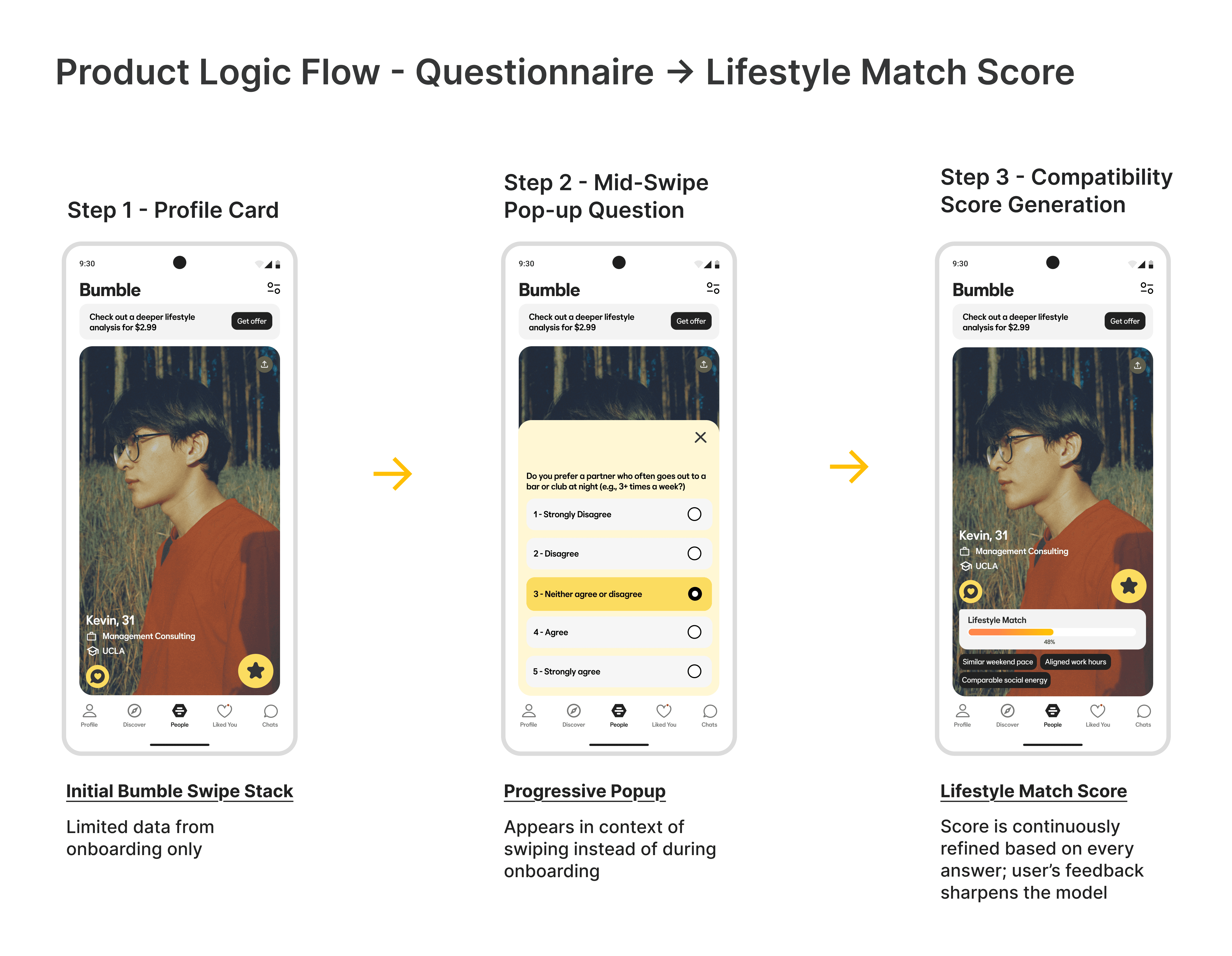
Input appears when it’s useful, not all at once upfront.
Traditional onboarding interrupts momentum. I designed a progressive, mid-swipe questionnaire where users answer in context and immediately see their compatibility score update. Value appears before the match, not after a long onboarding form.
One score had to hold across four platforms and four user paths.
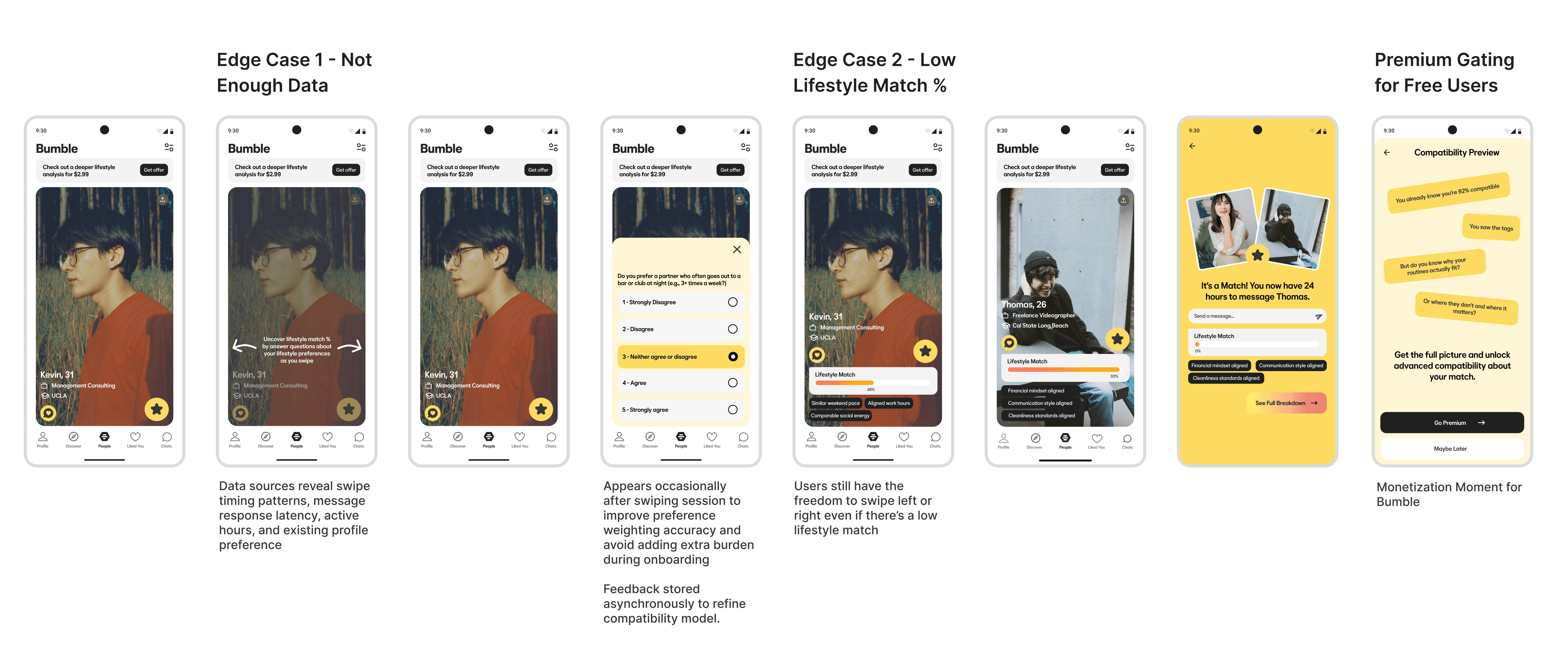
This system supports four intersecting experiences: initiator vs. receiver, and free vs. premium. Since both users swipe and view profiles, the LMS had to remain consistent regardless of entry point.
Premium gating is placed at the moment of highest curiosity: immediately after a match.
Free: score + compatibility preview
Premium: full breakdown across six dimensions, with radar visualization
The logic stays the same, while the depth of insight changes.

Edge cases are where the system proves it works, or doesn't.
I designed three critical states early in the ideation process:
New users with insufficient data
Low-compatibility matches
Premium gating at the match moment
Each state clarifies uncertainty, frames weaker matches constructively, and introduces a premium feature without breaking the user flow.
What survives on a watch face is different from what fits on the web.
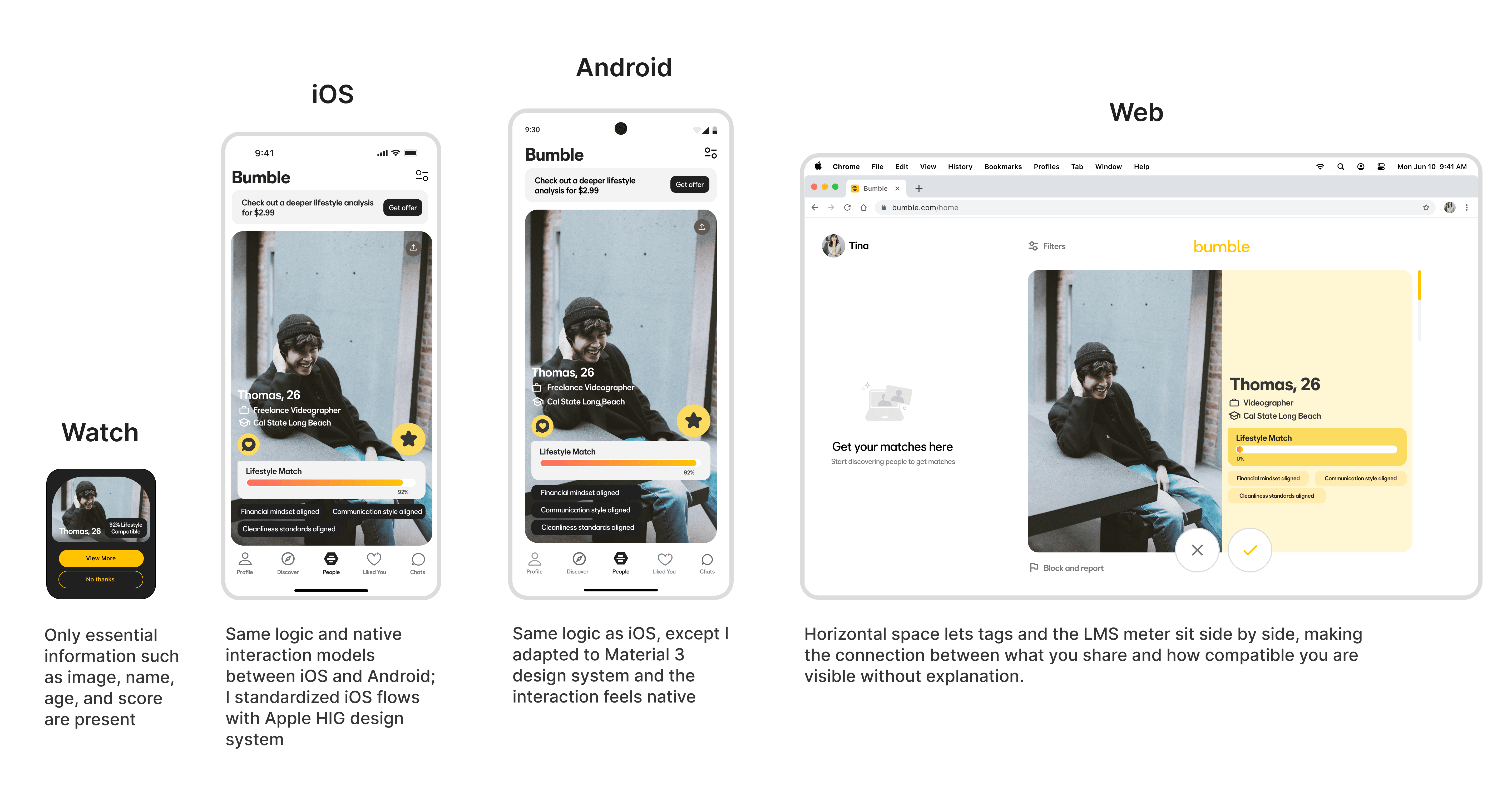
Cross-platform design is deciding what signal survives at each resolution.
Apple Watch: The LMS score becomes the entire experience. The flow reduces to notification → score → confirm → match. Everything else is intentionally removed.
Responsive Web: A larger space allows explicit connections between compatibility tags and the LMS meter. The radar chart becomes the centerpiece.
iOS + Android: The system adapts to Apple Human Interface Guidelines and Material 3 Design patterns, preserving logic while making interactions feel native to each platform.
Code exposed what static design couldn't, e.g, swipe physics felt wrong until I built it.
Figma demonstrates flows. Code reveals behavior.
Using Figma MCP and Claude Code, I translated design tokens directly into another working prototype. This exposed gaps that static designs couldn’t. For example, swipe physics felt heavier in the browser, and the radar chart required real rendering to feel accurate.
Building in code with AI tooling also forced prioritization. Swipe physics and the radar chart stayed. Other animations didn’t. That constraint proved more effective than having none.

Motion does the explaining: a rare match looks rare.
The LMS bar animates on load, signaling that the score is computed dynamically for each match. Match outcomes scale through motion alone to convey rarity and significance:
<90% → a standard confirmation
at 90% + → an amplified sequence with sparkles and confetti, so motion alone conveys rarity.
Compatibility only matters if it gets you to the first message.
Bumble Rhythm reduces the gap between signal and action. Compatibility becomes visible earlier, decisions require less guesswork, and starting a conversation takes less effort.
The next step is turning compatibility into conversation. Instead of just showing a score, the system can surface specific alignment points, such as “you both value quiet mornings,” “you’re both flexible about social plans”, to reduce first-message friction and improve follow-through.

